Home Vertical Solutions Archive by category Stadiums / Event Venues

Stadiums / Event Venues

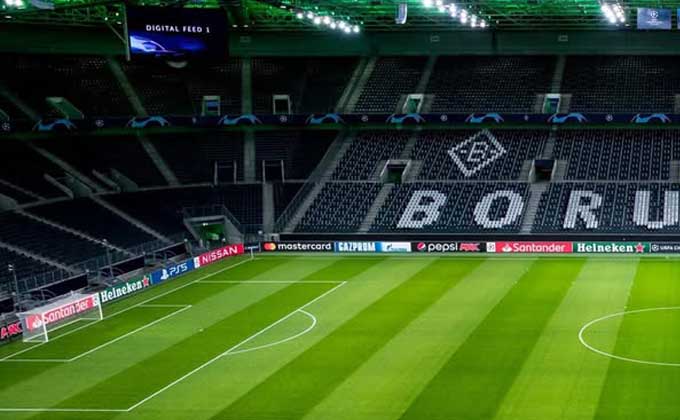
iLOQ Partners with Borussia Mönchengladbach to Deliver a New Era of Smart Security at Borussia-Park

iLOQ has announced a landmark partnership with German Bundesliga club Borussia Mönchengladbach to introduce cutting-edge smart security at the team’s iconic Borussia-Park stadium. The agreement includes the installation of more than 2,000 battery-free smart locks across the 54,057-seater venue. Every door in the stadium will be equipped with a lock that can be opened using a digital key or a smartphone, eliminating the need for bulky keychains.

The locks generate their own power either from inserting a digital key or from the NFC induction of a smartphone, making them completely battery-free. VIP areas will benefit from a full smartphone-based access system, enabling guests to manage entry for family and friends directly through iLOQ’s mobile app. Access rights will be controlled centrally, ensuring secure, flexible authorization for players, staff, facility managers, and visitors.

“This partnership is a dream come true for me as a lifelong Borussia fan,” said Sascha Hilgers, Managing Director for iLOQ Germany. “The new system makes life easier for everyone in the stadium, allowing players and staff to focus on results on the pitch.”

As part of the partnership, iLOQ’s brand will be showcased prominently throughout Borussia-Park, in media areas, and across the club’s digital channels. Patrick Herrmann, Sales Manager and former Borussia Mönchengladbach player, highlighted that the collaboration will raise security standards and improve daily operations for both staff and fans.

iLOQ’s technology is already in use worldwide, with more than 10 million locks deployed across over 55 countries, from residential housing to critical infrastructure. “We’re thrilled to partner with a club that shares our values of innovation, performance, and community,” added Heikki Hiltunen, President and CEO of iLOQ.

Advanced Launches Upgraded MxPro 5 and Axis EN Fire Panels

Advanced, a global leader in fire and life safety systems, is proud to introduce the latest enhancements to its trusted MxPro 5 and Axis EN fire panels. Building on the strong foundation of the existing solution, these updates are designed to improve performance and versatility, ensuring even greater peace of mind for users.

This upgrade brings a significant boost in performance, with faster power-up times and greatly reduced configuration transfer durations. Users will also enjoy enhanced configuration capabilities, supporting more complex cause-and-effect programming. These improvements make it easier than ever to manage larger and more advanced fire safety systems. Powered by a state-of-the-art processor, the enhanced panels deliver eight times the processing power of previous models, allowing for faster response times, improved system reliability, and the ability to handle more complex installations with ease.

A key advancement is the introduction of an upgraded power supply unit, designed to offer easier replacement, improved support for third-party equipment, and extended battery life. This ensures that the panels operate with greater reliability and uninterrupted performance. In addition to these hardware upgrades, Advanced has introduced a new, intuitive programming tool – ConfigTool (PC-Net-022) – which is compatible with next-generation panels. This tool provides a vastly improved user experience, with easier navigation and up to ten times faster configuration transfer times, now typically taking less than 30 seconds.

The MxPro 5’s versatility is further enhanced by its support for a variety of the latest wired and wireless protocols, including leading open protocol providers Apollo, Hochiki, Argus and Nittan, bringing greater system design flexibility to meet the requirements of a wide variety of sites.

These upgrades have undergone rigorous testing and are FM-approved to EN 54 Parts 2 and 4, affirming their compliance with the highest international fire safety standards.

Backward Compatibility for Seamless Upgrades

On top of these extensive improvements, the next-generation MxPro 5 and Axis EN panels are also fully backward compatible with existing models. This ensures that current users can easily and cost-effectively upgrade their systems without disruption. The panels retain their familiar external appearance and part numbers, simplifying the integration process, while the internal design has been refined to accommodate the enhancements.

About Advanced

Advanced is a leading provider of intelligent fire systems and solutions, committed to promoting safety through innovative technology and education. Our extensive portfolio includes fire detection systems including false alarm management, multiprotocol fire panels, evacuation alert systems and emergency lighting, trusted by professionals worldwide.

Advanced is owned by FTSE 100 company Halma PLC – a global group of life-saving technology companies with a clear purpose to grow a safer, cleaner, healthier future for everyone, every day.

For media inquiries, please contact: arobertson@advancedco.com

AUREL MSR: Why Aren’t All Gas Sensors Mounted at the Same Height?


Different gas characteristics and complex interactions in the environment mean that not all gases are detected at the same height. The height and positioning of a gas sensor are therefore of crucial importance for detecting dangerous gases and vapours early on.

Why are gas sensors mounted at different heights?

Gas density

Not all gases are detected at the same height, as gases concentrate at different heights due to their density. A gas may be heavier or lighter than the air. Heavy gases tend to sink downward, while lighter gases rise upward. As a result, a heavy gas that remains near the floor will not be detected in higher areas and a light gas that rises upward will not be detected near the floor.

For example, carbon monoxide in the garage is measured at almost the same density as air and at breathing height. Carbon dioxide, on the other hand, has a relative density of 1.53 and is measured near the floor. Methane has a relative density of 0.56, moves quickly to the ceiling and is measured in that area.

Gas distribution

Gas distribution in the environment is also of crucial importance. The way in which a gas is distributed in a room depends on various factors, such as ventilation, temperature and the position of the source.

The concentration of gases is thus higher near the potential source than it is near the floor or ceiling. Positioning the gas sensor correctly ensures that a hazardous gas concentration will be detected immediately, before it spreads through the room.

Reaction times and sensitivity

Different reaction times and gas sensor sensitivity are also of crucial importance. A gas sensor located near the floor will react to gas that accumulates there faster than a gas sensor near the ceiling.

What else affects the gas sensor height?

Environmental conditions: Environmental conditions in the industry vary. By placing gas sensors at a variety of heights, differences in temperature, air current, or gas distribution, for example, are easier to detect.

Adapting to process requirements: Some processes require gas sensors to be placed in specific locations in order to monitor and control the relevant parameters. This is particularly true of complex production environments such as beverage manufacturing and automatic processing machines. The atmospheres in these areas are often made up of inert gas, which changes the specific density of gases relative to one another. One example of this is measuring oxygen in an argon atmosphere.

Safety standards: Placing gas sensors at different heights helps to ensure safety by monitoring potential hazards or gas leakages on different levels of a building or a plant and triggering an immediate alarm in the event of a hazard. These safety standards may be required by standards. So for example, a sensor height of 1.5-1.8 m is defined in garages for measuring carbon monoxide.

How are the gas sensors mounted?

The gas sensors are mounted in housing that protects them from outside influences. For comprehensive IP protection, the housing is installed with the gas sensor head pointing down. If the gas sensor is mounted at the wrong height, for example, the gas cannot be detected early. If the gas sensor is mounted mechanically incorrectly, the sensor’s IP protection is not guaranteed. It must also be clarified whether there is an air current and whether the gas sensor should be mounted on the ceiling or floor.

In garages, for example, there is a static current. A sensor here can detect the gases within a radius of 7-11 m, corresponding to approx. 400 m².

Which type of connection does MSR-Electronic offer?

MSR-Electronic uses a 3-conductor system for analogue gas sensor connections and a 4-conductor system for bus connections. The 3-conductor connector for the 4-20 mA connection is a stable connection type for an analogue connection. Each individual gas sensor is connected to the controller by means of complex wiring.

With the bus connection, on the other hand, only one cable is placed leading from the controller to the area being monitored. The individual bus users, such as “small light bulbs”, are mounted on a string of lights. The gas sensors are addressed here and communicate digitally with the controller.

Senestar: Getting Ready for the EU Critical Entities Resilience Directive

The European Union’s Critical Entities Resilience Directive (CER) is a framework for strengthening the resilience of critical infrastructure against physical threats, be they natural or man-made, accidental or intentional. It covers a wide range of industries and sectors, including but not limited to energy, transportation, water treatment, and datacenters.

The CER requires that public and private organizations designed as critical infrastructure perform a security risk assessment and implement corrective actions. The directive also requires active cooperation and reporting within each sector’s applicable governing bodies. Adopted in 2023, regulatory enforcement is expected to begin by the end of 2026.

CER was introduced alongside NIS2, an updated cybersecurity framework. Like CER, NIS2 is concerned with the resiliency of designed critical entities, with both directives automatically applying. As both directives should be handled in parallel, a comprehensive risk assessment, one that takes both physical and cybersecurity considerations into account, is recommended.

Is Your Organization Ready?

There is a strong business case for meeting CER requirements – physical security is a substantial part of organization-level risk assessments and a key part of business continuity plans.

The CER process can be divided into four steps:

  1. Perform a physical security risk assessment.
  2. Create a resilience plan that describes the planned mitigation measures.
  3. Implement the plan.
  4. Monitor effectiveness and periodically reassess.

 A security fence along the perimeter of a facility is the first line of defense. But, by itself, it is only a minor deterrent to determined intruders – they can cut-through or climb it in seconds. Even without accessing any on-site buildings, intruders can threaten service, cause extensive damage, steal supplies, and/or injure themselves or others.

In addition to effective assessment and response tools, critical entities require scalable solutions that are suitable for deployment across large numbers of sites, are ultra-reliable, maintain a low nuisance alarm rate, and incorporate robust architectures that avoid downtime and unscheduled maintenance visits.

 Senstar offers a range of products that bring intelligence out to the perimeter. Intelligent lighting functions as an active deterrent while sensors and surveillance cameras detect and locate intrusion attempts. Perimeter detection enables a range of security responses, including triggering the site’s alarm system, queuing up camera systems, and engaging deterrence devices like audio messages or additional lighting. Interior areas can also be protected. As Senstar sensors share common communication protocols, a mix of sensors may be deployed at a site without adding additional infrastructure.

Securing Critical Infrastructure

With over 40 years of experience securing critical infrastructure worldwide, Senstar has the knowledge, European presence, and comprehensive portfolio needed to assist organizations in mitigating security vulnerabilities. Our perimeter intrusion detection, video management software, video analytics, and access control solutions are cost-effective, field-proven, and highly regarded throughout the critical infrastructure sectors.

Fire Protection in Retail, Leisure & Entertainment Sites

Fire safety equipment in dynamic retail, leisure, and entertainment settings must be versatile, reliable but also discreet. Vladimir Zrnic, Regional Sales Manager for Europe at Advanced, outlines some important considerations when choosing the right fire safety solutions for these demanding settings.

 Avoiding false alarm harm

In leisure and retail venues, false fire alarms can be particularly unwelcome, disturbing people’s precious downtime, disrupting purchases and harming business reputations.

Effective management requires advanced detectors and fire panels capable of flexible alarm verification and investigation delays.

In hotels for example, automated verification timers can distinguish false alarms caused by shower steam or smoking from real emergencies. In theatres, multisensors and specialised modes can avoid unnecessary evacuations due to theatrical effects like dry ice smoke, ensuring safety and smooth operational continuity.

Safe, phased evacuation

Safe evacuation in large venues like shopping centres and hotels relies on effective cause-and-effect programming alongside the latest sounder or voice alarm integration to facilitate the evacuation of those most at risk during a fire.

Selecting a fire panel brand with sophisticated cause-and-effect capabilities is crucial for effectively managing evacuations during dynamic fire conditions and reacting to the spread of fire and smoke through multiple areas simultaneously.

Out of sight

Aesthetics are crucial for integrating fire safety equipment seamlessly into retail and leisure interiors.

Designer repeater panels with flush touchscreens look more attractive than standard fire panels but still provide full functionality during fires. Alternatively,custom finishes are available to help panels blend with the décor or branding, and colour-coordinated or low-profile detectors also help improve the look of fire safety equipment.  Some fire systems also allow control of LED blinking to minimise distractions in venues like cinemas and hotels.

Style and safety assured

Layout changes are frequent in some retail settings, so using scalable wireless systems is a wise option. Cable-free fire equipment is flexible and saves on installation costs, plus, EN54-13 compliant fire panels ensure continuous monitoring and fault detection, promptly alerting staff to hidden issues for timely resolution.

Clear communication

Larger venues can complicate emergency navigation, potentially delaying responses. Some manufacturers, such as Advanced, offer custom solutions such as digital mimics with colour-coded LEDs for simplified fire location identification.

In modern buildings, seamless integration of fire and building management systems is crucial for safety and efficiency. Advanced’s technologies, for example, streamline setup and save time by using a common industry protocol. This allows the creation of a system that consolidates data from multiple sources for monitoring via a single central location/PC or the Cloud.

In summary, choosing the right fire protection equipment for retail and leisure venues isn’t straightforward. However, checking that a manufacturer’s product range offers robust solutions to the common challenges outlined above is a great way of ensuring fire safety for retail and leisure venues and peace of mind for those enjoying them.

 To find out more about the features mentioned in this article, please visit advancedco.com or contact Vladimir Zrnic vzrnic@advancedco.com or call +44 (0)345 894 7000.

Gas Detectors Monitor the Parking Garage of the Dallas Cowboys

MSR-Electronic GmbH from Pocking equipped two parking levels at the Dallas Cowboys headquarters with gas detectors.

“The Star” in Frisco, Texas, is home to the headquarters and training centre of the Dallas Cowboys. Part of the  91-acre campus is the Ford Center, where the players practise their skills. There, fans have the opportunity to see the training units up close.

In addition to ultra-modern equipment, the training ground also provides an atmosphere of excitement that reflects the passion for American football in Texas.

Visitors can park right at the Dallas Cowboys headquarters. Two levels of the parking garage with an area of 35,000m2 have been fitted with gas detectors from MSR-Electronic to protect people and facilities.

Why is gas detection important in parking garages?

Because vehicles produce carbon monoxide, which is toxic in high concentrations, continuous gas monitoring is mandatory in parking garages. Fixed gas warning systems are crucial ventilation systems, as they continuously monitor the air quality for potential hazards and control when ventilation starts.

MSR-Electronic gas detectors are configured to react to specific gases in the ambient air. The controllers and sensors make sure that measures are taken to protect people and facilities in time when the permissible level of CO concentration is exceeded.

The core of a gas warning system

Gas sensors that reliably detect the CO and NO in the ambient air were installed in the parking garage for maximum safety. Monitoring and evaluation are carried out by the Digital-Gas-Controller DGC-05.

The Digital-Gas-Controller DGC-06 replaces the DGC-05. An easy to use system menu with a logical structure, right on the controller and requiring no special programming skills, is used to configure, operate and set the parameters for the Digital-Gas-Controller DGC-06.

The large number of freely configurable parameters and set points allows for individual adaptation to many applications. It fulfils the functions for monitoring carbon monoxide in garages and tunnels according to the current standard.

The controller also complies with SIL2 and EN50545 and is suitable for up to 128 gas sensors and more than 50 toxic and flammable gases.

Technical features

  • Easy, fast commissioning thanks to configuration with default parameters

  • 4 freely configurable alarm thresholds per sensor

  • Multiple alarm relays can be configured for each alarm

  • Alarm can be set to be triggered by rising or falling gas concentration for each alarm threshold

  • Connector socket for PCE06 Software on the controller module

  • Up to 32 relays with change-over contact, potential-free max. 250 V AC, 5 A; 30 V DC, 2 A (via GC-06 module and 1–7 EP-06 module)

  • Up to 96 relays with change-over contact, potential-free max. 250 V AC, 5 A; 30 V DC, 2 A (via MSC2/MSB2)

  • Up to 96 relays with change-over contact, potential-free max. 30 V AC/ DC, 0.5 A (locally via WSB2)

  • Fault-signal relay with normally open contact, potential-free max. 250 V AC, 5 A; 30 V DC, 2 A

  • Up to 16 analogue outputs, 4-20 mA, with selective signal output for special status, fault etc.

  • Up to 7 EP-06 expansion modules with integrated repeater function can be connected

  • Serial interface RS-485 with Modbus RTU protocol


Other optional features are also available, such as an integrated warning buzzer.


Aurel: Hargassner Heating Technology Uses MSR Gas Sensors

Hargassner’s CHP (combined heat and power) wood gasification system is used to produce heat and power from biomass. Any leaks in the system process are hard to detect. MSR-Electronic gas sensors detect even the smallest gas leaks in the process, ensuring the utmost safety for the operator at all times.

By: Zlatko Dičak, CEO, Aurel; E-mail: zlatko.dicak@aurel.hr

Hargassner stands for eco-friendly heating with renewable energies such as biomass, pellets, wood chip boilers and wood logs. Especially in closed boiler rooms with infrequent traffic, the multitude of toxic gases and explosive areas creates a high risk of explosions and dangerous gas leakage.

Gas detectors from MSR-Electronic are used to continuously detect gas so that people and plants in the company’s boiler room have maximum protection.

How does gas detection work in boiler rooms powered by biomass?

 The gas sensors continuously monitor the ambient air and the CO concentration in the boiler room and are built into a switch cabinet. For maximum safety for people and plants, gas sensors are installed near the floor and ceiling. Gas sensors (type MC2) are used in the Hargassner boiler room to measure toxic gases in the ambient air and to monitor the oxygen concentration.

A module with μC, analogue output and power supply is integrated into the interchangeable sensor unit with digital measurement value processing, temperature compensation and self-monitoring in addition to the electrochemical sensor element with amplifier.

The µCcontroller uses the sensor’s measurement signal to calculate a linear 4-20 mA signal (or 2-10 V) and the relevant measuring values and sensor element data are also stored. In addition, the sensor unit can be calibrated by simply replacing it or by using the integrated, convenient calibration routine on the system itself.

Features

Features of MSR’s solution are: digital measurement value processing incl. temperature compensation, internal function monitoring with integrated Watchdog, high accuracy, selectivity and reliability, low zero drift, sensor with long lifetime, hardware and software according to SIL-compliant development process, reverse polarity protected, overload-proof and short-circuit proof, housing for holding the sensor unit, display with 2 open-collector outputs for horn and warning light, and duct mounting set.

The controller for GC-06 is built into the switch cabinet at Hargassner to monitor and evaluate the gas sensors. The gas controller is designed in accordance with EN 50545-1 and other standards, and can monitor and evaluate up to 100 gas sensors.

In addition, the freely adjustable parameters and setpoints enable flexible use in many areas of gas measurement technology. An easy to use system menu with a logical structure, right on the controller and requiring no special programming skills, is used to configure, operate and set the parameters. Alternatively, the PCE06 Software allows users to load, modify and save application parameters via a serial interface.

The GC-06 was configured and set according to the customer’s wishes. This meant that the systems could be installed by Hargassner via Plug&Play.

How Much Does a Security System Actually Cost?

When buying a security system, decisions often come down to the price tag of cameras, storage, and installation, yet taking this approach can leave the end user with major challenges ahead. Surveillance systems last anywhere from five to 20+ years, so condensing all cost considerations down to the initial expense fails to consider the bigger picture.

By: Ricardo Marranita, Product Growth Manager, Axis Communications; E-mail: ricardo.marranita@axis.com

The initial costs to purchase and set up a security system tend to account for just 30% of the total costs experienced during the lifetime of the system – also known as the total cost of ownership. Despite this, many end users may even make their decision based on the price of cameras alone. In effect, they are making their choice with just a 10-15% view of the total security system costs. The reality is that roughly 70% of expenses come after the system has been installed. Sadly, these can come as a nasty surprise for those end users who have not considered the indirect security system costs.

Taking some time to think about how the system will be used and the costs associated with that use can create significant savings in the long run. Initial choices – such as the type of device to deploy –impact future expenses, from power consumption to monitoring and maintenance. While we’ll focus on cameras specifically here, this principle applies to any device within a surveillance system. Considering the total cost of ownership will help you to identify the questions to ask as you make your decision on which new security system to purchase.

Look Beyond the Cameras’ Price Tag

Filtering is an important step in the purchase process: setting out your surveillance requirements and the available budget is key to narrowing down your choices. Unfortunately, too many initial conversations around requirements focus on the cameras alone, without considering the broader requirements of the system as a whole – from energy use to storage needs.

It might be tempting to focus the budget conversation on cameras, rather than where money will need to be spent to operate and maintain those cameras. Yet the security system will need to support your needs for the foreseeable future. It’s worth remembering that the costs to operate, monitor and maintain certain cameras often exceed the devices themselves and must therefore be weighed up before the purchase is made.

Forecasting Storage Costs

If you’re in the market for a new surveillance system, it’s very likely that you’ll need to consider how to store footage once recorded. On average, legislation requires potential evidence to be stored for a month. Yet in some regions or use cases, this is extended to 180 days – making storage a considerable factor in overall security system costs.

To avoid being caught out with significant server and electricity expenses after cameras are installed, it’s critical to consider the different storage costs associated with each camera model you’re considering. It can be a false economy to purchase cheaper cameras to cut down the initial outlay if they come with vast storage requirements, forcing you to spend more on servers and energy costs in the long run.

Equally, if you plan to reduce storage costs by shrinking the size of the video stored, you will need to carefully choose the right devices to ensure that compressing the video doesn’t compromise evidence quality by pixelating or blurring images to the point that it’s no longer possible to identify a suspect. Ending up with poor-quality footage that cannot act as useful evidence can defeat your objective of installing the security system in the first place. Some cameras come with sophisticated technology that can reserve all the important forensic detail you need while lowering bandwidth and storage requirements, and therefore long-term costs. It’s worth checking any claims of high-quality footage with low storage requirements before you install the system to ensure it meets your expectations.

Each set of requirements is unique. For example, you may require high-quality images even in the dark. While some cameras might compensate for low light levels by increasing the gain and therefore, storage requirements and costs, other options use alternative light-optimizing technologies that do not have the same large-scale impact on storage costs. They might even help you to save your budget by removing the need for additional external lighting.

Anticipating All Indirect Costs

The type of device you choose will influence costs far beyond storage. To forecast the full security system cost, monitoring, maintenance, and electricity use must also be considered.

Once you crunch the numbers, the costs can start to build up quite quickly but crucially, the devices you choose will have a knock-on impact on the extent of these figures. Opting for more economical cameras and devices at the start can result in staggering indirect costs. By contrast, choosing higher-quality cameras and devices at the outset can enable you to cut those indirect security system costs in the long term, introducing savings that you can use to reinvest in and grow your business faster.

As one example, owners of surveillance systems installed in tough environmental conditions, such as a maritime port or chemical plant, may face significant maintenance bills to clean salt water and dust off cameras. By upgrading to more sophisticated cameras that offer remote cleaning functions, or have been designed with self-cleaning materials and components, such as a hydrophilic dome, they can reduce the maintenance – and therefore costs – required.

Turning a Purchase Into an Investment

By considering how your initial decision on which type of camera to buy can impact the chain of future costs, you can shift the purchasing decision into an investment. Achieving this can be as simple as asking yourself just a few questions.

The first concerns the features you want to get with the camera, as well as the need for storage space that getting such a camera entails. Another question concerns the projected costs of powering such a system in the long run. It is important to get a picture of the role of supporting technologies in the camera in the formation of total costs. Finally, it is worth looking at their share in general costs.

The question ‘How much does a security system cost?’ goes far beyond the initial purchase. Making the right choice for you based on the bigger picture can mean a slightly higher initial outlay, but it pays itself back in the long run.

In short, taking the time to ask the right questions at the outset – and finding partners who are open to answering those questions and helping you calculate the long-term costs – allows you to avoid any nasty surprises in future electricity, storage, operational, or maintenance costs. Importantly, it will also ensure that you end up with the security system that is right for your specific requirements.

Five Steps to Optimize Your Investment

Deciding which security system to purchase demands careful consideration. After all, security systems can last for five years or more, so weighing up all relevant factors at the start can lead to significant cost savings and an improved return on your investment (ROI) in the long run. While it may feel daunting, there are five straightforward steps you can follow to ensure you are making the most of your investment. Following these steps enables you to decide on the right security system for your organization, while also optimizing your investment.

Choose the Camera According to the Value It Adds

It may seem obvious but as an initial step, ask yourself “Why are you buying cameras?” Device price and features are important considerations, but it’s vital to understand what your organization needs the cameras to do before you start to weigh up the value of the different functions on offer in each.

Clarity here is vital to figuring out if the cameras on your shortlist will perform in the way you need or provide the evidence you require. For example, are you installing a security system to protect profits in a retail environment by tackling theft and fraud? Are you aiming to optimize production and avoid downtime in a factory? Or are you looking to ensure the safety and security of your employees and passengers in a public transport setting?

There are many different ways in which security systems can be deployed to help your organization – from improving security to creating business value. Narrowing down why exactly you are purchasing the system is a key first step to ensuring you are set up to optimize your investment.

Calculate How the Device Influences the Rest of the System

Next, you will need to figure out how your camera choice affects the rest of the system. Storage is an obvious factor in this calculation. More inexpensive cameras may seem appealing but if their compression technology is limited to reducing bitrate to lower bandwidth and storage requirements, that saving comes at the cost of quality footage – jeopardizing the very reason you’re installing the system in the first place. On the other hand, more sophisticated cameras may have a higher initial cost but come equipped with intelligent algorithms that preserve relevant forensic information in full resolution and at a full frame rate while requiring a lot less storage space. As a result, you can recoup the initial price through lower storage costs in the years to come.

Yet storage requirements and costs are only one piece of the calculation to consider at this point. What about ease of installation? Or how fast it will be to configure the devices and add everything to your system?

It’s also worth thinking about what accessories you will require to ensure the security system meets your objectives if you choose certain camera models. For example, if the cameras you have chosen require extra accessories to mount, this will have a knock-on impact on installation – making it slower and more costly than initially predicted. If you realize this on the day of installation, there is a significant risk of delays to the whole project. To optimize a security system investment, the full picture of all costs – not just the devices themselves – is important.

Estimate the Cost of Using and Running the System

It’s also important to ask, ‘What happens once the system is up and running?’ This step is often overlooked: some may accept the system’s operational costs as the natural cost of doing business, while others may not put too much thought into it if it ends up under another department’s budget. Yet spending some time to think about the costs required to keep the system up and running is important for all decision-makers involved in purchasing a security system: it’s where the bigger losses creep in. While it might not affect you or your department directly, it impacts your organization. And if your company loses money through the system’s high running costs, it could eventually impact your budget too.

This means that it is worth thinking about the electricity usage, required maintenance and the costs of monitoring the system. But how can the different cameras in your shortlist affect these costs? You can assess this by writing down a few key questions.

First, you need to consider how much power your cameras use and how this might affect your electricity bill? On a related note, how much storage do you need for specific cameras and how does that affect your electricity costs in the long run? Finally, you need to know if the cameras offer any smart functionality to reduce the overall cost. For example, do they offer superior analytics performance such as deep learning and edge analytics, reducing false alarms and speeding up forensic search to reduce operational costs? The devices you choose will ultimately impact all the costs to come throughout the security system’s lifecycle.

Predict the Impact the System Will Have on the Business

Once you have mapped out the bigger picture cost implications for the cameras on your shortlist, consider the end result: how will the system help your business? Will it drive greater efficiency, reduce theft, improve the service you provide to customers, and improve employee retention by creating a safer workplace?

Ultimately, the correct security system for your organization can create business value, which translates to improving the bottom line. It’s important to quantify how the security system will impact your business so you can weigh those benefits up against the total costs when making your decision.

Thinking this through often involves collaboration across departments, ensuring the bigger picture of the system’s impact on the business as a whole is considered. As an added benefit, cross-departmental cooperation also opens up the possibility of tapping into bigger budgets and getting additional buy-in on the surveillance system as well as the advantages it can bring to the business.

Make the Best Decision for Your Organization

This final step is about evaluating the information you have uncovered in the previous stages and factoring all of those insights into your final decision. As long as you are taking some new insight from this process, whether considering the value added of the device you are choosing or calculating its associated running costs, you are taking a step in the right direction – moving from purchasing a security system to making an investment that can reap better rewards for your organization.

Completing this exercise of working through the various scenarios attached to purchasing different security devices will set you up to optimize the system you buy to your company’s benefit. Rather than making a choice based on upfront cost, you are making a decision with the long-term view in mind and reducing the risk of unpleasant surprise costs cropping up in the years to come.

Working with the right partner to select the right system

Importantly, you don’t need to do this alone. The process of asking these questions helps you identify which partners are invested in your organization’s long-term success. It’s critical to find the right partner who will work through these scenarios with you to find the system that works in your best interest – both in terms of a total cost of ownership that works for you and a system that meets your requirements to drive long-term value.

Ten “deadly sins” when installing a video surveillance system

We are all humans, so we all make mistakes. However, there are such common cases that you should be aware of and avoid. Specialists of Partizan company have collected, systematized and listed them to say once and for all – it should not be like that!

 1. DHCP remains enabled after adding to NVR

Most CCTV cameras have DHCP enabled by default. What does it mean? A static IP address does not work, but a dynamic IP address, on the contrary, is active. That is, the CCTV camera, after entering your local network, will find its own IP address. The plus is that you don’t need to input this address manually each time. And the minus is that these addresses can change every time the router is rebooted. The result is that after the reboot, the CCTV camera will get a completely different IP, the client will get a terrible black screen instead of an image, and you will receive urgent calls: “Hey, where did my CCTV camera go?”. Do you really need it?

2. Outdated firmware and password

There are also simple, trivial, but surprisingly widespread reasons for incorrect device operation. The thing is, even if you bought your device yesterday, it doesn’t mean that a new firmware didn’t appear while it was in stock. Always check its relevance and install the latest version. Ideally, you should check the firmware once every few months. Regarding the password — often users and even installers are too lazy to change passwords and sometimes leave it at the default: admin, 1111, etc. A good chance for a hacker!

3. Time synchronization is disabled. Incorrect playback time

A non-obvious mistake, but it can also cause pain and suffering. If we have a desynchronization in time, then even knowing when the alarming event occurred, it will be very difficult to find it in the archive. By the way, there is an easy way to synchronize the recorder (and therefore the CCTV camera) with real-time. Just add the NVR to Partizan Cloud and our service will do everything instantly and clearly.

4. Settings, connection and recording

It may seem obvious to some, but there is one simple thing. If you want the recording to be turned on only by alarms, motion detection or at certain intervals – no one will do it except you. Enter the settings yourself. Now about the connection. There are CCTV cameras that can be connected using the “native protocol”, and there are all others. With the native protocol, everything is finally clear: company’s cloud CCTV camera can be easily connected to its cloud recorder, the SH camera to the SH recorder. But if the connection takes place, for example, according to the Cloud-camera scheme to the SH-recorder (or vice versa), or in general a third-party CCTV camera is used, the Onvif protocol should be used.

5. Incorrect installation of your CCTV camera

The topic, of course, is very broad, moreover, there are many different opinions. So, at this point, we will try to derive a common “denominator” that is understandable even for a new installer. A good, professional installation of video equipment is when:

a) The correct branded accessories are used, including cable junction boxes.

b) The cables are not visible next to the CCTV camera and they do not stick out in all directions. They should be brought inside the building, or at least hidden in PVC pipes or corrugations.

Of course, budgets can be “cut”, but this does not mean that you have to compromise on quality.

6. Incorrect viewing angle or CCTV camera installation location

It is also a rather versatile field for discussion, so let’s highlight the most important points.

  • There is a large object close to the CCTV camera – tree, wall, lamp post, etc.). Such proximity can lead to “reflection” of IR illumination, and at the same time to CCTV camera blindness.
  • The CCTV camera is aimed at a glowing lantern or at a sunrise/sunset. This also results in CCTV camera blindness or image illumination.
  • IR diodes in the dome CCTV camera are under its body. In this case, the backlight is reflected from the housing into the lens. The result is that the CCTV camera stops “seeing” at night.
  • Dirty lens glass or dome CCTV camera sphere. A very simple, but surprisingly common cause of poor image quality.
  • The CCTV camera is installed on a metal or conductive surface without grounding. This is trivially dangerous, because it causes the risk of short circuits and even the CCTV camera catching fire.
  • The CCTV camera is at a low altitude. A real find for criminals and vandals!
  • The dome CCTV camera is installed without proper protection from above. If the model does not have a high degree of resistance to dust and moisture (at least IP66), moisture form of rain or snow can get inside the equipment.
  • The CCTV camera is installed in close proximity to high-voltage power lines. This causes not only a high risk of electric shock, but also provokes interference in image transmission.

7. Bad Internet

Probably everyone knows about such a problem, but not everyone is aware of its depth. By the expression “bad Internet” we primarily mean two points: low connection speed and changes in flow transmission. And if everything is clear with the first parameter, then in the second case, even at high speeds, sags and entire seconds of video may drop out. So make sure that the speed of your Internet is adequate for both input and output, and the connection is stable, without losing data packets.

8. Incorrect cable connection

It is not good if the cable of the installed CCTV camera is less than 30 cm from the power cable. It is a very bad idea to put the wires of the video surveillance system and the home electrical network in one box. This is especially true for analog CCTV cameras. Therefore, it is always worth laying the CCTV camera switching separately. So there will be no obstacles or unnecessary picture jumps in the image.

The second point is the considerable distance between the CCTV camera and the recorder. For a coaxial cable, problems with image transmission can begin as early as 500 meters. And the optimal distance is the “hundred meter” familiar to many. It is always better to work with the correct lengths of cable than to be faced with the fact that the video signal does not arrive normally, or the CCTV camera does not have enough power. If we are talking about IP CCTV cameras with a POE system, then the distance to the recorder should be 50-80 meters.

When dealing with an analog system, it is worth remembering that problems may also arise when connecting several CCTV cameras to one power supply unit. Imagine that we have two CCTV cameras. One is at a distance of 10 meters from the power supply unit, the other is at a distance of 50 meters. So, after six months, you can unexpectedly encounter, for example, the failure of the IR illumination of the remote CCTV camera. And the issue here is not the quality of the equipment. It is all about incorrect switching. Therefore, we advise using a separate power supply for each CCTV camera. Why? The CCTV camera must receive its “legal” 12 volts and the correct amperage. And a considerable distance can cause a drop in power supply.

And, of course, always and everywhere you should use the right cables. Trying to save money, some installers “throw away” aluminum or steel wires. But what may be OK for budget Internet in the entrance, will not work for the video surveillance system. Such cables simply will not transmit a normal video stream. Our minimum is copper twisted pair of category 5e. We will not emphasize the correct crimping of the twisted pair. This is an axiom!

9. Low-quality or inappropriate third-party equipment

Use quality routers! We usually recommend the following brands: MikroTik, Zyxel, Cisco, HP, Linksys. Everything will be fine with them. The same can be said about POE equipment. All the above mentioned brands make decent switches.

Hard drives! This is generally the key to success for a video surveillance system. Partizan is an authorized European dealer of Toshiba and we use HDDs of this brand for our recorders. We consider its products to be ideal in view of:

  • Possibility of long-term stable work in 24/7 mode
  • Simultaneous recording support from 32 CCTV cameras
  • Ability to withstand multiple write/overwrite cycles
  • Spindle rotation speed optimal for NVR
  • Resistance to vibrations, high temperature, voltage drops
  • Correct interface (Sata 3)
  • High data transfer rate

10. Incorrect calculation of power and quality of components

You should not save money on third-party components of the video system! Let’s say, the cost of a high-quality power supply unit and a low-quality one will not differ that much. This is a matter of tens of dollars, not, say, hundreds or thousands. But you should always remember that a low-quality product can damage the equipment or cause the quality of the image to deteriorate (bands and waves in the picture, etc.).

We recommend using power supplies with an additional power reserve of at least 30% compared to the expected power consumption of the video surveillance system. It will definitely not be superfluous, and it will protect you and the client from unpleasant surprises.

Of course, these are far from all the mistakes that happen in our field. However, by keeping at least these simple points in mind, you can make life much easier for yourself and your customers. As they say, go and install quality, professional CCTV and do not make more mistakes.


Dahua Technology contributed to the Winter Olympics

The Beijing 2022 Olympic and Paralympic Winter Games have come to a successful end, with China setting a new medal record in its history of the Winter Olympics. Dahua Technology took on the responsibility of securing Yanqing’s Olympic Venues and Shougang Park. Guided by the “Winter Olympics of Science and Technology”, Dahua fully integrated many digital intelligence technologies, such as video Internet of Things, universal sensing, AIoT and AR, into this grand event, making great contributions to the success of the 2022 Winter Olympics.

 Challenge

Located 75 kilometers northwest of Beijing’s city center, Yanqing has two competition venues, the National Alpine Ski Centre and the National Sliding Centre, and other supporting facilities, such as Yanqing Olympic Village and Publishing Center. The entire zone is featured with complex terrain and a changeful climate. Another competition venue Big Air Shougang was located in Shougang Park. It staged the freestyle skiing and snowboard Big Air competitions at the Games. Big Air Shougang is the world’s first permanent venue for Big Air. Following the Winter Olympics, the venue will be used for various sports competitions and athlete training. Meanwhile, many Olympic landmarks, such as offices for the Organizing Committee of the Winter Olympics and training venues, have been set up in Shougang Park. The security of the wide range of roads, public areas, all kinds of venues and supporting facilities in the park was a top priority.

Solution: Safeguard the Yanqing Venues with intelligent systems

Dahua conducted several surveys in Yanqing Zone and tailored various intelligent systems such as intelligent traffic camera, AR panoramic solution, walk-through metal detector, ecological environment monitoring system and so on for mountain scenarios. This not only provided a security guarantee for the Winter Olympics events, athletes, audience and staff, but also facilitated the security management of Yanqing’s Olympic venues by improving the overall prevention, early warning and management efficiency.

The mountain road to Yanqing’s Olympic Venues is rugged and prone to traffic accidents at night, especially under rain and snow. By upgrading the intelligent traffic camera system in the core road sections, Dahua effectively solved the pollution caused by the white light explosion and flash at night on mountain roads, improving the safety of drivers and greatly reducing the incidence of traffic accidents. Meanwhile, Dahua also realized real-time sensing and intelligent management of vehicle entry and exit, which improved the road traffic management, traffic safety and civilized travel during the event.

According to the geographical features of Yanqing Zone and the complexity of management, Dahua innovated and deployed AR panoramic solution. Combined with the full-realm sensing ability of IoT, Dahua created a large live map that displayed the venues and surrounding infrastructures. Through the panoramic map, the staff were able to supervise the overall dynamics and details of the competition area at any time to conduct emergency operations and improve management efficiency and safety. Dahua walk-through metal detector appeared at the entrances of various venues, to help with fast temperature monitoring, intelligent identification and early warning of not wearing a mask, and rapid detection of metal contraband. This speeded up the traffic and reduced potential security risks timely. The efficiency of security work was promoted at the same time.

Assistance in declaring the winner

 The sliding events bobsled, luge, and skeleton are the fastest games in Winter Olympics. Racers moving through the complex and narrow course at super speeds present an extraordinary challenge to the judges’ scoring and of course to athletes’ safety as well. Dahua Technology developed an intelligent video tracking system based on our industry-leading intelligent video sensing capability. The system captured the fleeting video image of high-speed athletes sliding down the track, displayed the video images of athletes passing through different slopes at high-speed seamlessly and orderly, and recorded every detail of the entire competition. With zero interference to the racing tracks, the Dahua intelligent video tracking system provided data support for the athletes’ training before the competition and a strong basis for the referee’s decision and game’s fairness during the competition.

To facilitate the “ecological Winter Olympics”, Dahua intelligent environment online monitoring system was in place to collect environmental temperature, humidity, wind, wind direction, noise, atmospheric pressure, weather and other data of the competition area all the time, to help managers grasp the dynamic changes of various environmental factors in real-time, and provide environmental data support for the events.

In the management center, Dahua built up a digital intelligent management platform for Yanqing Zone by using video IoT and visualization technologies including Dahua high-definition LCD screen and distributed seat management system. In this way, real-time views and visual scheduling of the overall operation of the whole competition area were realized. Thus, real-time response and efficient command in the case of emergencies were achieved, while refined management and information decisions were supported.

Equip the Shougang Park with AI innovations

In Shougang Park, Dahua fulfilled the demand of intelligent management. By applying intelligent panorama, multidimensional sensing, access control management and other artificial intelligence innovations, based on a unified intelligent management platform, Dahua built a comprehensive modern safety management system covering all roads, public places and venues in and outside the Shougang Park.

It greatly realized the real-time warning of all kinds of risks in the park, contributed to the innovative upgrade of the security management mode of the park, comprehensively improved the comprehensive services and management of the Winter Olympics.

Result

On the field, the Winter Olympics athletes were competing fiercely for medals; outside the stadium, Dahua technical team was trying their best to provide services for both Olympic and Paralympic Winter Games in Yanqing Zone, Shougang Park, National Conference Center and other perimeter areas. They pushed their limits and accomplished the task of securing the Olympic venues successfully in more than two consecutive months.

The team delivered high-quality services including video technology development for specific events, solution formulation, installation and commissioning, and on-site technical support, helping to create a simple, secure and wonderful Winter Olympics.

Dahua provided security services with high quality and high standards. Based on technology innovations and scenario-oriented application of digital intelligence, it has contributed to the success of many wonderful urban activities and boosted digital intelligence upgrades in thousands of industries. In the future, Dahua will continue to focus on customer needs and create more products and solutions for customers through innovative technologies.